

BleeqUp - Power Plus
BleeqUp - Power Plus
Low stock
Couldn't load pickup availability
- 3-year warranty
- 14-day returns
- 100% secure payment
| Brand | BleeqUp - SKU: A00004702 - EAN: 6976745170084 |
| Shipping | International shipping. Free from €100 in the Iberian Peninsula. Outside the EU, customs and local taxes are the responsibility of the customer. |
| Financing |
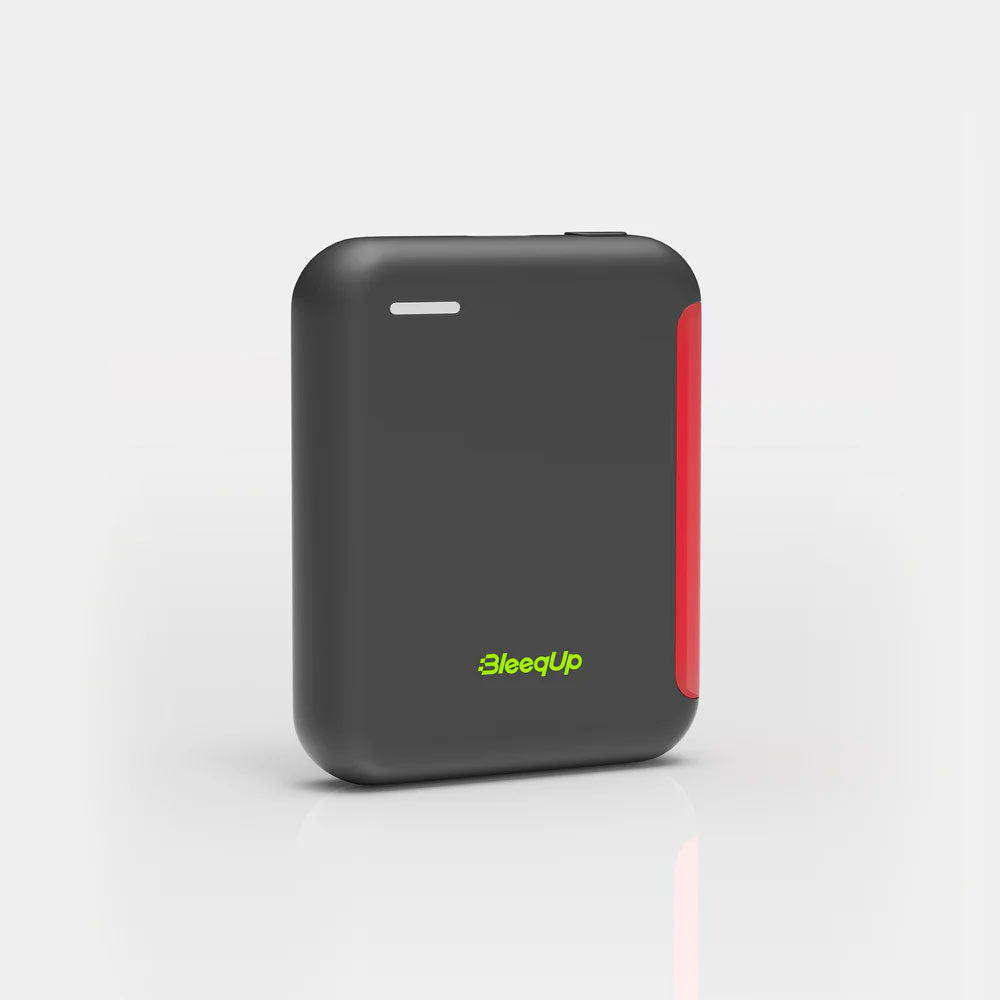
Power Plus – Portable Battery and Charger for Smart Glasses
Power Plus is the portable battery designed especially for cyclists, athletes, and smart glasses users. It extends the battery life of your devices while you enjoy your favorite sport. Compact, lightweight, and with safety LED lights, Power Plus combines functionality and convenience to keep your gadgets charged on the go.
Main Features
- High-capacity portable battery with fast charging via USB Type-C .
- Up to 4 extra hours of video recording or 40 hours of music .
- Improved safety and visibility with rear safety light .
- Easy to mount on helmet using velcro strap .
- Compatible with BleeqUp Ranger smart glasses via magnetic charging.
- LED battery indicators to monitor charge level and progress.
Package Contents
- Power Plus R
- Velcro strap for helmet mounting
- Magnetic charging cable (Type-C)
- User manual
Design and Appearance
Front: Battery level indicator and rear safety light.
Right side: USB Type-C port and power button.
Back: Hole for Velcro strap.
How to Charge Power Plus
-
Connect a USB Type-C cable and a power adapter (not included).
-
The flashing LED light indicates that charging is in progress.
-
When all the LED lights are steady, the battery will be fully charged.
-
With the battery at 100%:
-
4 hours of video recording
-
40 hours of music playback
-
Helmet Mounting
-
Prepare the Velcro strap and the magnetic charging cable.
-
Pass the strap horizontally through the rear hole of Power Plus.
-
Place the device in the helmet, making sure the USB Type-C port is on the right.
-
Adjust the strap through the helmet holes to securely attach Power Plus.
-
Connect the magnetic cable to the Type-C port to complete the installation.
How to Charge Smart Glasses with Power Plus
-
Press the Power Plus power button to activate it.
-
Connect the magnetic cable to the charging port of the glasses.
-
You will hear a voice prompt indicating the start of charging.
-
When you remove the cable, the glasses will indicate that charging is complete.
Button Functions and LED Indicators
-
Power button:
-
Short pulse: activates Power Plus.
-
Long press: turns the rear safety light on/off, with four lighting modes.
-
-
Battery LED indicators:
-
1 flashing LED: low battery
-
4 fixed LEDs: full battery
-
Flashing LED during charging: charging progress
-
Safety and Visibility
The rear safety light allows you to be seen in low light conditions , with four adjustable lighting modes to suit your needs.